 Token Counter
On this page
Claude has two limits that reset on different clocks. The session limit resets every five hours. On paid plans there is also a weekly limit, which resets at a fixed time each week that is assigned to your account — the Pro plan article spells this out: the day and time stay the same no matter when you start using Claude or when your subscription began.
Your exact next reset is shown in Settings > Usage, and the message you get at the limit names the time too, for example “5-hour limit reached - resets [time]”.
The 5-hour session limit
Every plan has a session limit. Anthropic’s pricing page describes it as a rolling five-hour session window, and the help center says the session limit resets every five hours on Pro and on Max.
Free accounts have one too: the Free plan article describes a session-based usage limit that resets every five hours.
When does the five-hour window start? Anthropic’s help pages for Free, Pro, Max and Team do not say. What they do give you is the countdown: the Current session line in Settings > Usage shows how much of the session limit you’ve used and the time remaining in the session, per the usage limits article. Read the time there instead of calculating it.
You may see claims that the window starts with your first message and ends on the hour. The only Anthropic page we found that says this is the usage page for Claude for Government, a separate product with seat tiers set by an agency. Treat it as a description of that product, not of Pro or Max.
Claude Code got more room in May 2026. On May 6, 2026 Anthropic said it was doubling Claude Code’s five-hour rate limits for Pro, Max, Team and seat-based Enterprise plans and removing the peak-hours limit reduction on Claude Code for Pro and Max — the May 2026 announcement has the details.
The help center still says Claude Code and chat count against the same limits, as the Claude Code article puts it, and neither page explains how the doubled Claude Code figure fits into that shared pool.
More room again in September 2026. On September 22, 2026 Anthropic said it was increasing five-hour usage limits on Pro, Max, Team and seat-based Enterprise plans, without giving figures, and gave subscribers a rate limit reset to save for later, per the Opus 5.5 announcement. The Claude Code limits guide lists every 2026 change.
The weekly limit
The weekly limit exists on paid plans; the pricing page puts it plainly: paid plans add weekly limits on top of the session window. What the help center says about it:
- It applies across all models on Pro and Max, and on both seat types of the Team plan, per the Max plan article.
- It resets at a fixed day and time assigned to your account, and you receive your full weekly allowance each cycle. Unused usage does not carry over, and a late start in the week does not shift your reset.
- Your next reset time is listed in Settings > Usage.
Fable on Max. Max plans and premium seats on Team and seat-based Enterprise plans can spend up to 50% of the weekly limit on Fable models — the Fable article explains the share. You can never use more than your weekly limit in total, the same article makes clear. On Pro, Fable is not part of the plan’s limits at all: it runs on usage credits.
Some help pages call this a separate weekly limit for Fable that resets once a week; the usage credits article is one of them. The Fable article makes clear it is a share of the same weekly budget.
Reset times at a glance
| Limit | Who has it | When it resets | Where to see it | Source |
|---|---|---|---|---|
| Session limit | Free, Pro, Max, Team | Every five hours | Settings > Usage, “Current session” | Limits article, Free |
| Weekly limit, all models | Pro, Max, Team | Fixed day and time assigned to your account | Settings > Usage, “Weekly limits” | Team article, Pro |
| Fable share (up to 50% of weekly) | Max, premium Team and Enterprise seats | Once a week | Settings > Usage, “Weekly limits” | Fable article, usage credits article |
| No plan limit | Usage-based Enterprise | Not applicable, billed at API rates | Settings > Usage | Enterprise article |
What happens when you hit a limit
Before the limit you get a warning such as “Approaching session limit” or “Approaching weekly limit”; the error messages article lists both. At the limit, without usage credits, Claude stops and tells you when to come back: “5-hour limit reached - resets [time]” or “You’ve reached your weekly limit. It resets [day] at [time].”
You then have three options:
- Wait for the reset shown in the message.
- Upgrade. If you move to a higher plan, its limits apply right away.
- Turn on usage credits (paid plans). Your requests switch to pay-as-you-go at standard API rates and keep going until your monthly spend limit. Credits don’t change the reset timing of any limit; the message changes to “Now using credits” instead.
Claude Code mid-task. If Claude Code hits the five-hour limit partway through a response, it may keep working briefly to finish the current step and show “Usage limit reached · wrapping up”. The wrap-up article says the allowance is small and capped, counts toward your weekly limit, and needs Claude Code 2.1.277 or later; on Pro it applies up to once per weekly usage period; on Max and Team Premium seats, each time you reach a five-hour limit within your weekly limit. Anthropic is rolling it out gradually, so not every account has it yet.
Can you reset Claude’s limit early?
Not on demand. The one exception is a limit reset: Anthropic gives these occasionally to eligible plans, as the limit resets article explains. If you have one, it appears in the Resets section of Settings > Usage, and the help center describes it this way:
- Click “Reset for free” on the web or in Claude Desktop. The same button appears on the message you see when you reach a limit.
- Depending on the offer, either your five-hour session limit or your weekly limit goes back to full immediately. Your weekly limit still resets on its usual day and time.
- You can’t undo it, unused resets expire, and the button isn’t available in Claude Mobile or in Claude Code. Because limits are shared across the account, a reset made in the browser also applies on mobile and in Claude Code.
Signing out, switching devices or starting a new chat does not reset anything. A new chat can make each message cheaper, though: long conversations consume more of your usage limit.
Plan heavy work around the reset
Knowing the reset time is useful only if you look at it before you start. A few habits that follow from how the limits work:
- Start long documents, large code changes and Research runs soon after a session reset, when the full session budget is available.
- If the weekly bar is high, check the weekly reset before committing to a big job; a session reset does not refill the weekly limit.
- Split a large job across two sessions instead of losing a half-finished answer at the limit.
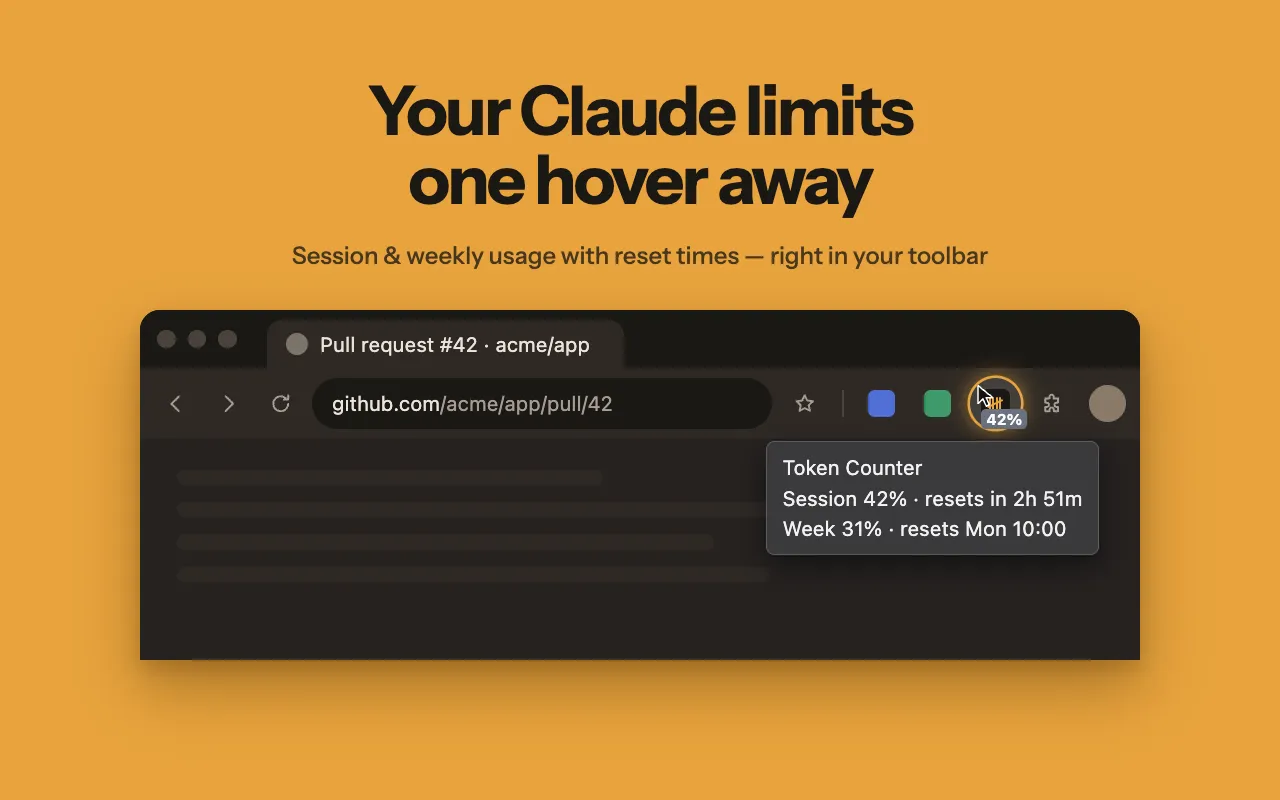
If you would rather not open Settings each time, Token Counter shows the countdown to the next reset in its Chrome toolbar popup and keeps session and weekly usage in a bar under the claude.ai message box. Claude Code usage is included because it reads the same data as the Usage page.
For a walkthrough of every place your remaining usage appears, see the usage walkthrough. To compare how big each plan’s limits are, see Pro vs Max comparison.
Token Counter is an independent extension and is not affiliated with Anthropic.