 Token Counter
- Extra usage is now called usage credits: once enabled, they keep Claude working past a 5-hour or weekly limit at standard API rates.
- Turn credits on or off in Settings > Usage, and cap them with a monthly spend limit and a prepaid balance.
- Usage credits do not change when your limits reset, and the monthly API credits that come with Max and Team cannot pay for them.
On this page
Claude usage credits are the new name for extra usage. With credits turned on, Claude keeps working after you use up your 5-hour session limit or your weekly limit, and charges the overflow at standard API rates instead of blocking you. Anthropic’s usage credits article says your usage “continues until you reach your monthly spend limit, or your balance runs out with auto-reload off.” Credits are off until you enable them, and only paid plans have them. As of October 2026, Sonnet 5.5 on credits costs $2 per million input tokens and $10 per million output tokens.
Extra usage is now called usage credits
The rename arrived with Claude Code 2.1.144, released on May 18, 2026. Its changelog entry reads: “Renamed ‘extra usage’ to ‘usage credits’ across CLI copy; /extra-usage is now /usage-credits (old name still works)”. The help center’s old extra-usage address now redirects to the usage credits article.
The old name still turns up, for example in the Team and Enterprise table on Claude’s pricing page.
Credits are available on Pro, Max 5x and Max 20x, and to Team and seat-based Enterprise organizations, which have their own Team and Enterprise article. The Free plan doesn’t get them; the pricing page lists it as “No”.
When usage credits start charging
Credits start when you fully use one of three limits: the 5-hour session limit, the weekly limit or the Fable weekly limit on Max plans. Turning credits on doesn’t move your resets: each limit keeps its usual reset time. For how those clocks run, see when limits reset.
Fable on Pro is the exception. Fable models aren’t included in Pro’s usage limits, so they run on usage credits from the first request; the same applies to standard seats on Team and seat-based Enterprise plans, according to the Fable plans article. On Max, hitting the Fable limit leaves you a choice: continue with Fable on credits, or switch to another model.
The message at the limit tells you which mode you are in. The error messages article lists both versions:
| Limit | Credits off | Credits on |
|---|---|---|
| 5-hour session | “5-hour limit reached - resets [time]” | “5-hour limit resets [time] - continuing with usage credits” |
| Weekly (any weekly limit) | “You’ve reached your weekly limit. It resets [day] at [time].” | “Now using credits. Your plan limit resets [day] at [time]” |
The same credits pay for your Claude chats and for Claude Code in the terminal.
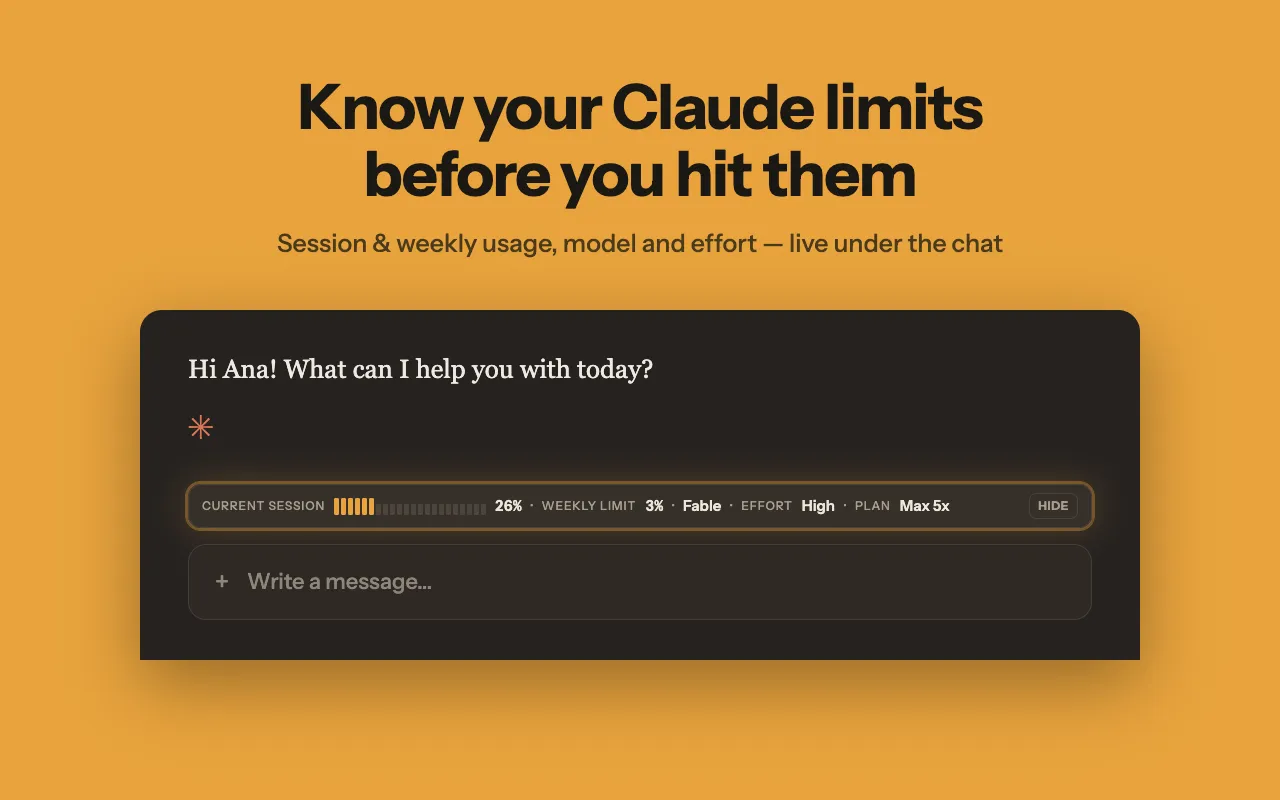
Apart from those Fable cases, the number to watch is how close you are to a limit. Token Counter, our Chrome extension, shows your session and weekly usage as percentages in a bar under the claude.ai message box and in the toolbar icon’s tooltip and popup, which also show when each limit resets. On Max it adds the per-model weekly limits, and Claude Code usage is counted in the same figures. We suggest it only for Pro and Max, because it is not verified on the Free plan. It does not show your usage-credit balance, spend, spend limit or whether credits are on; for that, use Settings > Usage or /usage, covered below. It refreshes about once a minute while usage is changing and about every five minutes otherwise, so the figure can run a little behind. It only shows numbers and does not switch anything off.
What Claude usage credits cost
These are the standard API rates for the latest models on Claude’s pricing page as of October 2026, in dollars per million tokens (MTok):
| Model | Input, $/MTok | Output, $/MTok |
|---|---|---|
| Fable 5.1 | $10 | $50 |
| Opus 5.5 | $4 | $20 |
| Sonnet 5.5 | $2 | $10 |
| Haiku 5.5, prompts up to 100K tokens | $0.10 | $0.50 |
Haiku 5.5 prompts over 100K tokens cost $0.50 input and $2.50 output.
Anthropic doesn’t publish a price per message, so here is our own arithmetic. A request with 40,000 input tokens and 2,000 output tokens costs $0.10 on Sonnet 5.5, $0.20 on Opus 5.5 and $0.50 on Fable 5.1. The token counts are an example, not a typical message.
You pay for credits on top of your subscription; they show up as extra charges on your bill.
Bundles lower the rate. Prepaid bundles cost less than their face value, per the usage bundles article: $50 of credits costs $45 (10% off), $250 costs $200 (20% off) and $1,000 costs $700 (30% off). Pro and Max subscribers can buy up to $2,000 worth of discounted bundles a month; anything past that is billed at standard rates. You need credits turned on before you can buy a bundle.
Claude Code’s cache gets shorter on credits. The Claude Code cost guide says the cache lasts an hour on a subscription but only five minutes while you’re on usage credits. After a pause longer than that, your next message misses the cache and Claude Code reprocesses your whole context. You can set the cache lifetime yourself to keep the hour.
If you end up on credits most weeks, compare that spend with a higher plan: our Pro vs Max comparison shows what each plan includes.
How to turn usage credits on, cap them or turn them off
On Pro and Max, the steps are:
- In your Claude account, open Settings > Usage.
- In the Usage credits section, turn credits on.
- Set up a payment method if you haven’t already.
- Click “Adjust limit” to set a monthly spend limit, or “Set to unlimited” if you want no cap.
- Prepay: click “Add funds”, enter an amount and click “Purchase”.
- Optionally, turn on auto-reload: it buys more credits whenever your balance drops below an amount you choose.
You also get usage alerts as you near your spend limit. If you subscribed through a Claude mobile app, set credits up in Claude on the web, because the app can’t.
For a ceiling, set a spend limit; to avoid automatic purchases, leave auto-reload off. With auto-reload off, spending stops at whichever comes first: your monthly spend limit or the end of your prepaid balance. With it on, only the spend limit stops spending, and “Set to unlimited” removes that limit.
From the terminal. On Pro and Max, the /usage-credits command in Claude Code opens Settings > Usage in your browser; it doesn’t work if you sign in with an API key. If you hit your spend limit with credits left, Claude Code offers to raise or remove the limit right there.
To turn credits off, use the same Usage credits section, at any time; after that, Claude stops at your plan’s limits again. Anthropic’s article doesn’t say what happens to a prepaid balance you haven’t spent.
Where to see your usage-credit spend
In Settings > Usage, the Usage credits section sits apart from your plan usage and shows whether credits are on, your remaining balance, what you have spent this month and your monthly spend limit.
In Claude Code, /usage adds a usage-credits row while credits are on. On Pro and Max it compares this month’s spend with your monthly spend limit; with no limit set, the row reads Unlimited and shows no spend figure.
For other places your plan usage appears, see how to check usage.
What usage credits are not
Not the monthly API credits on Max and Team. The monthly API credits article says those don’t cover interactive Claude Code or extra usage.
Not API-key billing. The Claude Code plan article says that with an ANTHROPIC_API_KEY environment variable set, Claude Code uses that key, and you pay API charges instead of using your plan.
Not the first charge for SDK and third-party apps. Third-party apps, the Claude Agent SDK and claude -p use your subscription limits first, per the Agent SDK article. Past those limits, a single bundle balance covers the Claude apps, Claude Code, Cowork and third-party tools signed in with your Claude account.
Not time-limited in most places. The usage credits article says they don’t expire in most cases, except that “in certain jurisdictions such as Japan, usage credits expire six months after purchase starting September 10, 2026.” Promotional credits are usage credits with their own terms: the Fable 5 promotion credit offered to eligible Pro and Team standard seats in July 2026 expired on September 17, 2026.
Usage credits on Team and Enterprise plans
On Team and seat-based Enterprise plans, an Owner or Primary Owner clicks “Enable” in the Usage credits section of Organization settings > Usage; on Team, credits can then go to specific users or the whole organization. Users can have their own spend limits: once a user reaches theirs, their usage credits pause until the end of the month. Members of seat-based Enterprise plans see a “Request usage credits” link when they hit their included limit, and in Claude Code, /usage-credits lets them ask an admin. Current usage-based Enterprise plans don’t have usage credits.
Token Counter is an independent extension and is not affiliated with Anthropic.